




一、問題描述
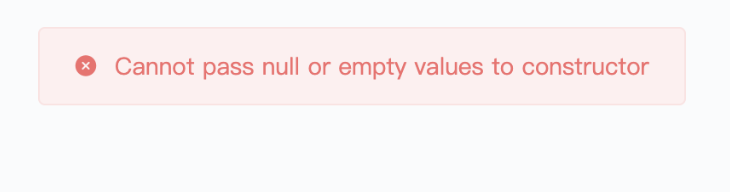
無法登陸,登錄報錯
二、問題排查
這個報錯,我們可以從spring security的源碼中看到

很明顯,就是在創(chuàng)建security的User對象的時候,username參數(shù)為null或為空字符串/password為空
那哪里會創(chuàng)建security的User對象呢?
在Security的UserDetailsService類的實現(xiàn)類中創(chuàng)建了security的對象
public class MyUserDetailsService implements UserDetailsService {

    // 部分代碼略

    public UserDetails loadUserByUsername(String username) {
        // 部分代碼略
        return new org.springframework.security.core.userdetails.User(
            username,
            password, // 【注意】這個password是在數(shù)據(jù)庫根據(jù)username查的
            true,
            true,
            true,
            true,
            RoleConfig.getAuthorities(xxx)
        );
    }
}
在這里我們可以看到要么username的問題,要么password的問題。
三、解決思路
在你項目中找到哪里創(chuàng)建了org.springframework.security.core.userdetails.User對象,然后排查username和password為空的情況,數(shù)據(jù)庫限制、代碼限制等方式,限制這兩個字段不為空。
四、補(bǔ)充
簡單解釋Security是如何做密碼校驗的,幫助排查密碼是否為null和其它關(guān)于密碼檢驗失敗的問題。
public class JWTLoginFilter extends AbstractAuthenticationProcessingFilter {
    @Override
    public Authentication attemptAuthentication(HttpServletRequest req, HttpServletResponse res) throws AuthenticationException, IOException {

        // 部分代碼省略

        return getAuthenticationManager().authenticate(
            new UsernamePasswordAuthenticationToken(
                username,
                password // 【注意】這個password是登陸時傳過來的
            )
        );
    }

    @Override
    protected void successfulAuthentication(HttpServletRequest req,
                                            HttpServletResponse res,
                                            FilterChain chain,
                                            Authentication auth) throws IOException {
        // 部分代碼省略
    }

   @Override
    protected void unsuccessfulAuthentication(HttpServletRequest req,
                                              HttpServletResponse res,
                                              AuthenticationException failed) throws IOException {

        // 部分代碼省略
    }

    // 部分代碼省略
}
在attemptAuthentication方法中,最后return的這一步,會做2個操作
(1)攜帶username這參數(shù),調(diào)用問題排查中講到的loadUserByUsername方法,加載數(shù)據(jù)庫信息到security的User對象中。
(2)拿參數(shù)password【登陸時前端傳來的】按照配置的或者默認(rèn)的加密方式加密后與上一步User中的passward【數(shù)據(jù)庫查的】進(jìn)行比較,相同則調(diào)用successfulAuthentication方法,失敗調(diào)unsuccessfulAuthentication方法,我們可以自定義這兩個方法,來處理成功和失敗要做的操作。
