



大家好, 這次和大家分享的是PG 通過 FDW 訪問 mysql 數據庫。
熟悉ORACLE的朋友們,都知道可以通過創建DBLINK 來實現不同ORACLE數據庫之間的訪問。
如果ORACLE想訪問sqlserver, mysql, postgres 的話, 可以通過oracle 官方的透明網關(Gateway)來實現。
對于PG來說,如果想訪問其他的數據庫比如 sqlserver, oracle, mongodb, mysql 可以通過 extension 的方式:
sqlserver_fdw
oracle_fdw
mongodb_fdw
mysql_fdw
具體的每一種數據庫的FDW: Foreign Data Wrapper 都需要去下載和編譯安裝原代碼。
我們看看目前由EDB公司維護的 mysql_fdw的使用方式:
我們需要先下載軟件: https://github.com/EnterpriseDB/mysql_fdw
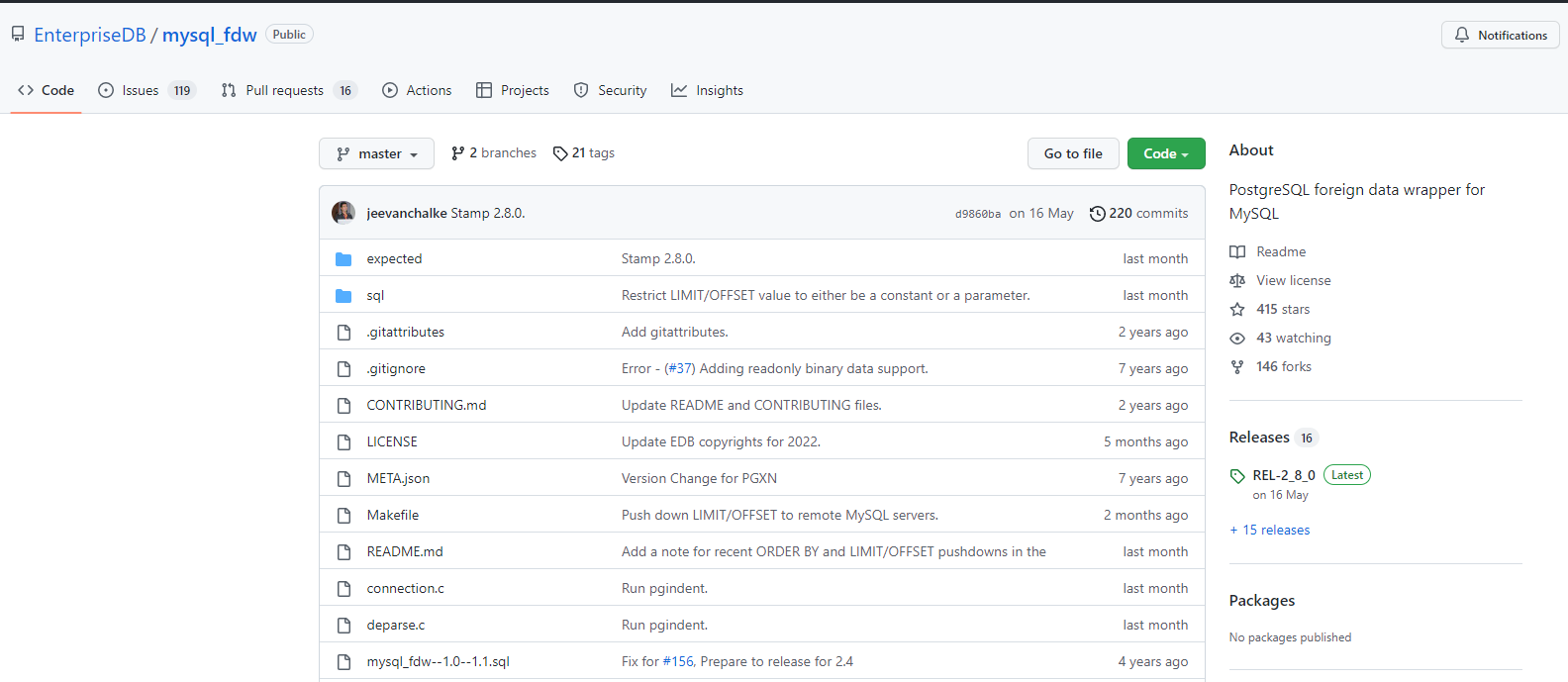
我們下載軟件:
Jason.ChenTJ@CN-L201098 MINGW64 /d/vpn/tanpopo-win-v0.3.1
$ git clone https://github.com/EnterpriseDB/mysql_fdw.git
Cloning into 'mysql_fdw'...
remote: Enumerating objects: 1141, done.
remote: Counting objects: 100% (367/367), done.
remote: Compressing objects: 100% (73/73), done.
remote: Total 1141 (delta 319), reused 308 (delta 294), pack-reused 774
Receiving objects: 100% (1141/1141), 612.00 KiB | 1.01 MiB/s, done.
Resolving deltas: 100% (816/816), done.
安裝:進入文件路徑
INFRA [postgres@wqdcsrv3352 contrib]# cd mysql_fdw/
INFRA [postgres@wqdcsrv3352 mysql_fdw]# ls
connection.c     deparse.c  LICENSE   META.json                mysql_fdw--1.0.sql  mysql_fdw.c        mysql_fdw.h    mysql_query.c  option.c   sql
CONTRIBUTING.md  expected   Makefile  mysql_fdw--1.0--1.1.sql  mysql_fdw--1.1.sql  mysql_fdw.control  mysql_init.sh  mysql_query.h  README.md
整個安裝過程我們完全參考 readme 文件
1.需要配置環境變量
PG_HOME=/opt/postgreSQL/pg15
MYSQL_HOME=/data/postgreSQL/percona8.0/
PATH=$PATH:$HOME/.local/bin:$HOME/bin:$PG_HOME/bin:$MYSQL_HOME:bin
export PATH

INFRA [postgres@wqdcsrv3352 ~]# mysql --version
mysql  Ver 8.0.27-18 for Linux on x86_64 (Percona Server (GPL), Release 18, Revision 24801e21b45)
INFRA [postgres@wqdcsrv3352 ~]# postgres --version
postgres (PostgreSQL) 12.3
2.編譯軟件
make USE_PGXS=1
如果遇到錯誤:
In file included from connection.c:20:0:
mysql_fdw.h:21:19: fatal error: mysql.h: No such file or directory
#include <mysql.h>
^
compilation terminated.
make: *** [connection.o] Error 1
需要安裝 mysql 的開發包:
sudo yum install mysql-devel
我們繼續安裝:
INFRA [postgres@wqdcsrv3352 mysql_fdw]#  make USE_PGXS=1 install
/bin/mkdir -p '/opt/postgreSQL/pg15/lib/postgresql'
/bin/mkdir -p '/opt/postgreSQL/pg15/share/postgresql/extension'
/bin/mkdir -p '/opt/postgreSQL/pg15/share/postgresql/extension'
/bin/install -c -m 755  mysql_fdw.so '/opt/postgreSQL/pg15/lib/postgresql/mysql_fdw.so'
/bin/install -c -m 644 .//mysql_fdw.control '/opt/postgreSQL/pg15/share/postgresql/extension/'
/bin/install -c -m 644 .//mysql_fdw--1.0.sql .//mysql_fdw--1.1.sql .//mysql_fdw--1.0--1.1.sql  '/opt/postgreSQL/pg15/share/postgresql/extension/'
3.我們來mysql 創建一個賬戶測試一下
mysql> create user jason@'10.%' identified with mysql_native_password by '123456';
Query OK, 0 rows affected (0.01 sec)


mysql> create database testdb;
ERROR 1007 (HY000): Can't create database 'testdb'; database exists
mysql> create database test_db;
Query OK, 1 row affected (0.01 sec)


mysql> use test_db;
Database changed
mysql> create table warehouse (warehouse_id int primary key,warehouse_name varchar(200),warehouse_created timestamp) ;
Query OK, 0 rows affected (0.04 sec)


mysql> grant all on test_db.warehouse to jason@'10.%';
Query OK, 0 rows affected (0.00 sec)
4.我們登錄一下 PG, 創建 mysql_fdw的 extension
db3@127.0.0.1:1992=#67953 create extension mysql_fdw;
2022-06-17 15:52:29.468 CST [67953] ERROR:  failed to load the mysql query:
   libmysqlclient.so: cannot open shared object file: No such file or directory
2022-06-17 15:52:29.468 CST [67953] HINT:  Export LD_LIBRARY_PATH to locate the library.
2022-06-17 15:52:29.468 CST [67953] STATEMENT:  create extension mysql_fdw;
ERROR:  failed to load the mysql query:
libmysqlclient.so: cannot open shared object file: No such file or directory
HINT:  Export LD_LIBRARY_PATH to locate the library.
根據提示: 我們需要 export 一下 LD_LIBRARY_PATH
libmysqlclient.so 這個的路徑在 /usr/lib64/mysql/
INFRA [postgres@wqdcsrv3352 lib]# cd  /usr/lib64/mysql/
INFRA [postgres@wqdcsrv3352 mysql]# ls
libmysqlclient_r.so  libmysqlclient.so  libmysqlclient.so.18  libmysqlclient.so.18.0.0  mysql_config  plugin
解決方法:/etc/ld.so.conf 文件中添加 /usr/lib64/mysql/libmysqlclient.so
INFRA [postgres@wqdcsrv3352 ~]# sudo vi /etc/ld.so.conf


include ld.so.conf.d/*.conf
/usr/lib64/mysql/libmysqlclient.so
執行命令: ldconfig 使其生效
INFRA [postgres@wqdcsrv3352 ~]# sudo ldconfig
我們再次創建:
db3@127.0.0.1:1992=#71079 create extension mysql_fdw;
CREATE EXTENSION
5.我們創建一下 server
db3@127.0.0.1:1992=#71079 CREATE SERVER mysql_server FOREIGN DATA WRAPPER mysql_fdw OPTIONS (host '10.67.38.50', port '3060');
CREATE SERVER
6.創建用戶映射
db3@127.0.0.1:1992=#71079 CREATE USER MAPPING FOR postgres SERVER mysql_server OPTIONS (username 'jason', password '123456');
CREATE USER MAPPING
7.創建外部映射表
db3@127.0.0.1:1992=#71079 CREATE FOREIGN TABLE warehouse
db3-# (
db3(# warehouse_id int,
db3(# warehouse_name text,
db3(# warehouse_created timestamp
db3(# )
db3-# SERVER mysql_server
db3-# OPTIONS (dbname 'test_db', table_name 'warehouse');
CREATE FOREIGN TABLE
8.我們去mysql 端插入幾條數據,嘗試在 postgres 端讀取
mysql
mysql> INSERT INTO warehouse values (1, 'UPS', current_date);
Query OK, 1 row affected (0.00 sec)


mysql> INSERT INTO warehouse values (2, 'TV', current_date);
Query OK, 1 row affected (0.00 sec)


mysql> INSERT INTO warehouse values (3, 'Table', current_date);
Query OK, 1 row affected (0.00 sec)
PG:
db3@127.0.0.1:1992=#71079 select * from warehouse;
warehouse_id | warehouse_name |  warehouse_created
--------------+----------------+---------------------
            1 | UPS            | 2022-06-17 00:00:00
            2 | TV             | 2022-06-17 00:00:00
            3 | Table          | 2022-06-17 00:00:00
(3 rows)
目前看是可以查詢到數據的。 當然如果我們 user mapping的賬號有在mysql 端數據庫有權限的話,我們還可以進行更新和刪除。
PG 的外部表:
db3@127.0.0.1:1992=#71079 DELETE FROM warehouse where warehouse_id = 3;
DELETE 1
db3@127.0.0.1:1992=#71079 UPDATE warehouse set warehouse_name = 'UPS_NEW' where warehouse_id = 1;
UPDATE 1
db3@127.0.0.1:1992=#71079 EXPLAIN VERBOSE SELECT warehouse_id, warehouse_name FROM warehouse WHERE warehouse_name LIKE 'TV' limit 1;
                                                               QUERY PLAN
----------------------------------------------------------------------------------------------------------------------------------------
Foreign Scan on public.warehouse  (cost=1.00..2.00 rows=1 width=36)
   Output: warehouse_id, warehouse_name
   Remote server startup cost: 25
   Remote query: SELECT `warehouse_id`, `warehouse_name` FROM `test_db`.`warehouse` WHERE ((`warehouse_name` LIKE BINARY 'TV')) LIMIT 1
Query Identifier: -8683994370260527774
(5 rows)
mysql 端查詢數據:數據已被更新和刪除
mysql> select * from warehouse;
+--------------+----------------+---------------------+
| warehouse_id | warehouse_name | warehouse_created   |
+--------------+----------------+---------------------+
|            1 | UPS_NEW        | 2022-06-17 00:00:00 |
|            2 | TV             | 2022-06-17 00:00:00 |
+--------------+----------------+---------------------+
2 rows in set (0.00 sec)
最后我們再來簡單的看一下 mysql_fdw 在 github 上描述的功能加強:
Write-able FDW: 可以更新,刪除源端的數據
Connection Pooling: 連接池設置
WHERE clause push-down: 謂詞下推到源端
Column push-down: 列下推到源端
Prepared Statement : Prepared statement的支持
JOIN push-down : 連接支持下推到源端,不過對于 FULL OUTER, SEMI, and ANTI join 不支持。目前支持的是 INNER and LEFT/RIGHT OUTER joins
AGGREGATE push-down: 聚合操作支持下推: 目前僅僅支持: min, max, sum, avg, and count ,并且 aggregate filters and orders 不支持。
ORDER BY push-down : 排除支持下推到mysql ,
LIMIT OFFSET push-down: llimit ,offset 分頁支持下推到mysql ,但是 OFFSET without LIMIT 是不支持的
